Canadian HRIS software built for the way your operation actually works.
Workforce.com's HRIS is the single source of truth for every employee in your business. Profiles, pay rates, province of employment, certifications, access permissions, and compliance records all live in one place, connected directly to scheduling, time and attendance, and payroll so data entered once flows correctly everywhere.

Trusted by businesses great and small










Stop reconciling data between systems that don't talk to each other.
Generic HR tools store employee data in isolation. Workforce.com's HRIS connects it directly to scheduling, payroll, and compliance so data entered once flows correctly everywhere, without re-entry, reconciliation, or unreliable integrations between systems. The employee record is not a standalone database. It is the engine that drives scheduling accuracy, payroll compliance, and operational visibility across every location you run.
One profile. Employment contracts, payroll details, certifications, performance reviews, and documents — all in one place, connected to scheduling and payroll.
Each employee has a single profile holding their pay rates by role and location, province of employment, employment type, SIN, TD1 elections, banking details, certifications, and location assignments. When an employee transfers between provinces, takes on a second role at a higher rate, or moves from casual to permanent, you update the profile once and every downstream system reflects the change automatically. There is no re-entry between scheduling, timesheets, and payroll. The profile is the source of truth for all of them.
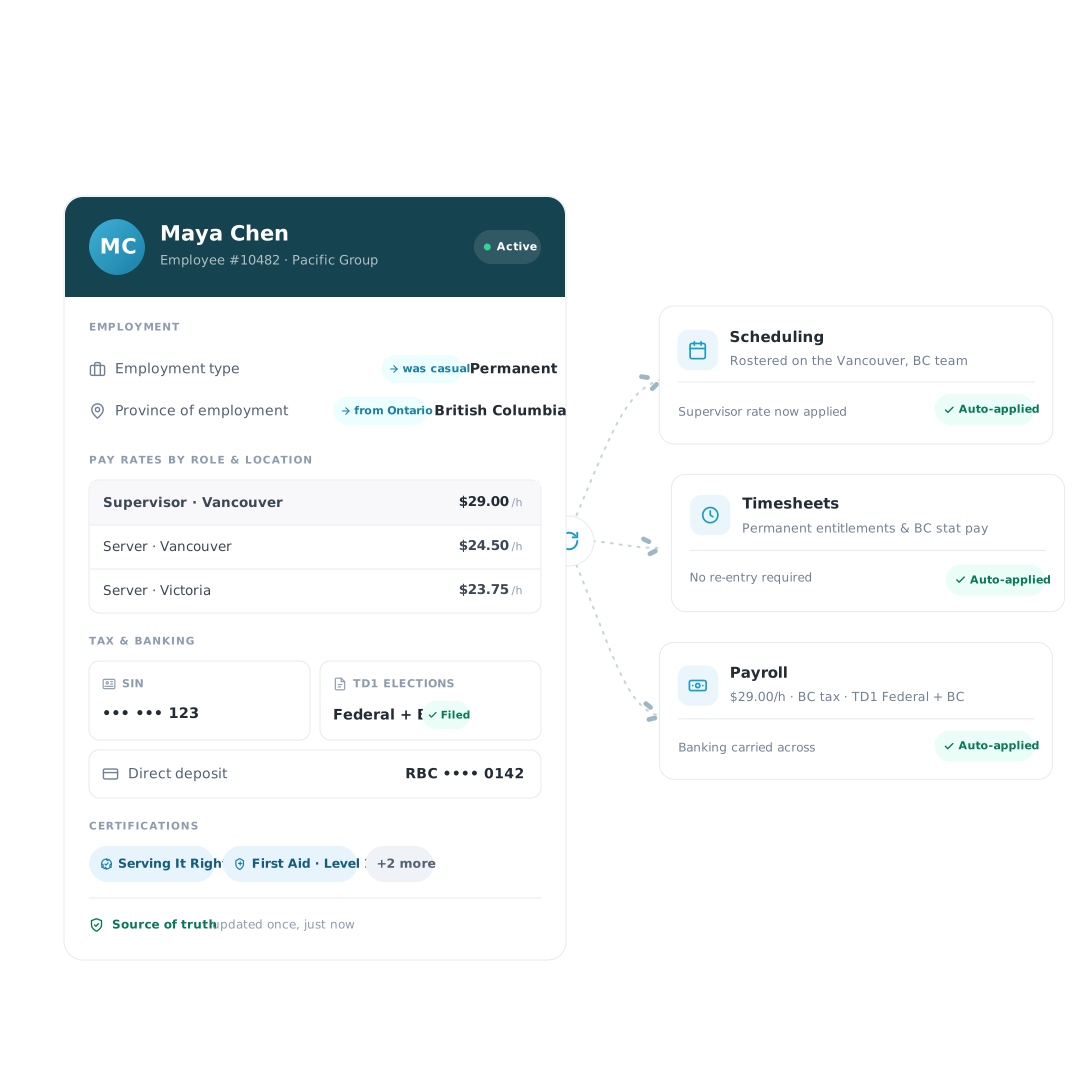
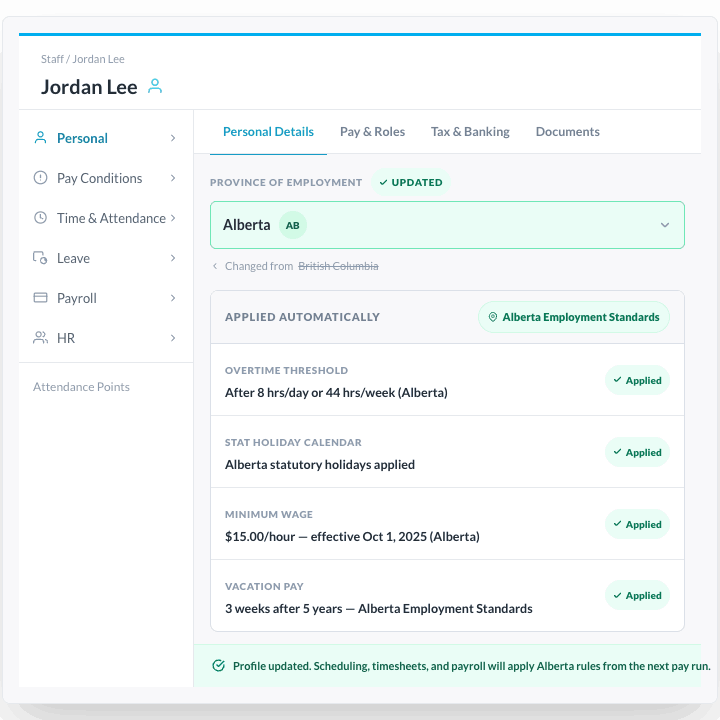
The right compliance rules apply at every location, automatically.
When a staff member moves from a BC location to an Alberta location, their overtime threshold, stat holiday calendar, minimum wage rate, and vacation pay calculation all change. In a disconnected system, someone has to update each of these separately and hope nothing gets missed before the next pay run. In Workforce.com, you update the province of employment on the employee profile once. Every downstream calculation, from the next scheduling compliance check to the next pay run, draws from the updated rules automatically. For franchise groups and multi-location operators running staff across provinces, this is the most common source of payroll errors eliminated at the source.
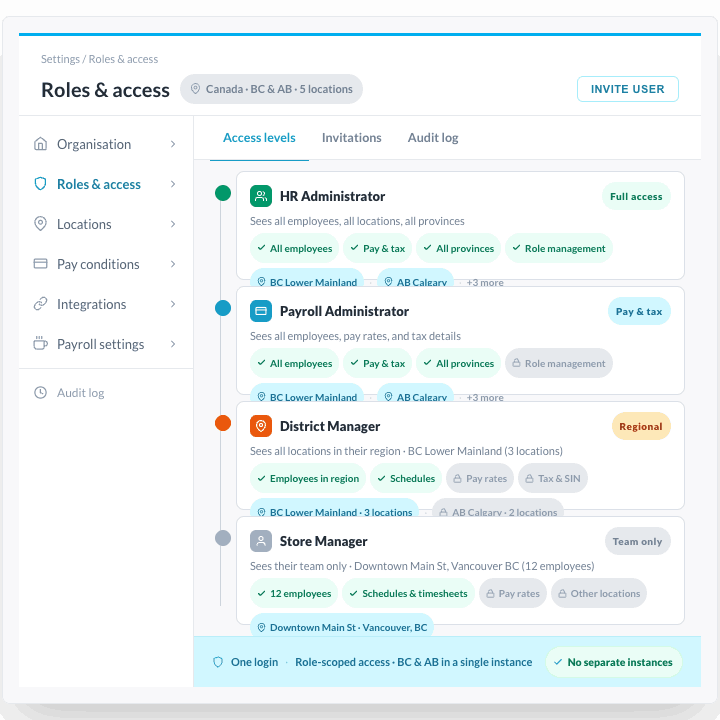
Store managers see their team. District managers see their sites. Everyone sees exactly what they should.
Configure who can see what based on role, team, location, region, or custom hierarchy level. Store managers see their own team. District managers see their sites. Payroll administrators see every employee. HR sees everything. For multi-province operators, access can vary by location without creating separate HRIS instances or duplicate user accounts. When staff move between locations or get promoted, access updates with their profile rather than requiring a manual permissions review. Sensitive payroll and compliance data stays visible only to those who need it.
Live headcount, overtime exposure, and certification status across every location — no report request needed.
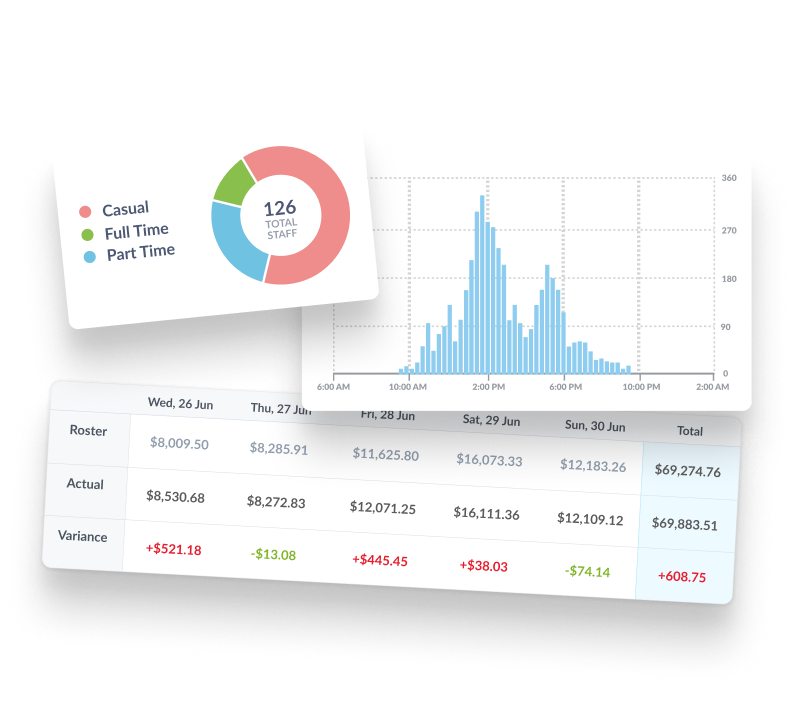
Headcount, tenure, turnover rate, overtime exposure, leave balances, and certification expiry dates are visible in real time across every location you manage. District managers and operations leaders see live data for their region without requesting a report from HR or waiting for a monthly export. When a certification is about to expire, the system flags it before it affects scheduling eligibility. When overtime is trending above budget at a location, it surfaces before the week ends rather than after payroll is processed.
Not a module that exports to other systems. The same platform as scheduling, payroll, and time and attendance.
Workforce.com is built on a single codebase. There is no syncing, no middleware, no nightly data transfers between an HR module and a payroll module, because they are not separate products. When a pay rate changes in the employee profile, it is available to the next pay run instantly. When a new location assignment is added, the employee is schedulable there immediately. When employment ends and an ROE needs to be filed, the payroll data is already on the profile.



Consistent results for our customers
ROI total overall economic impact
Gain in scheduling efficiency
Decrease in customer labor costs
Increase in revenue per labour hour