


Canadian payroll software for hourly workforces.
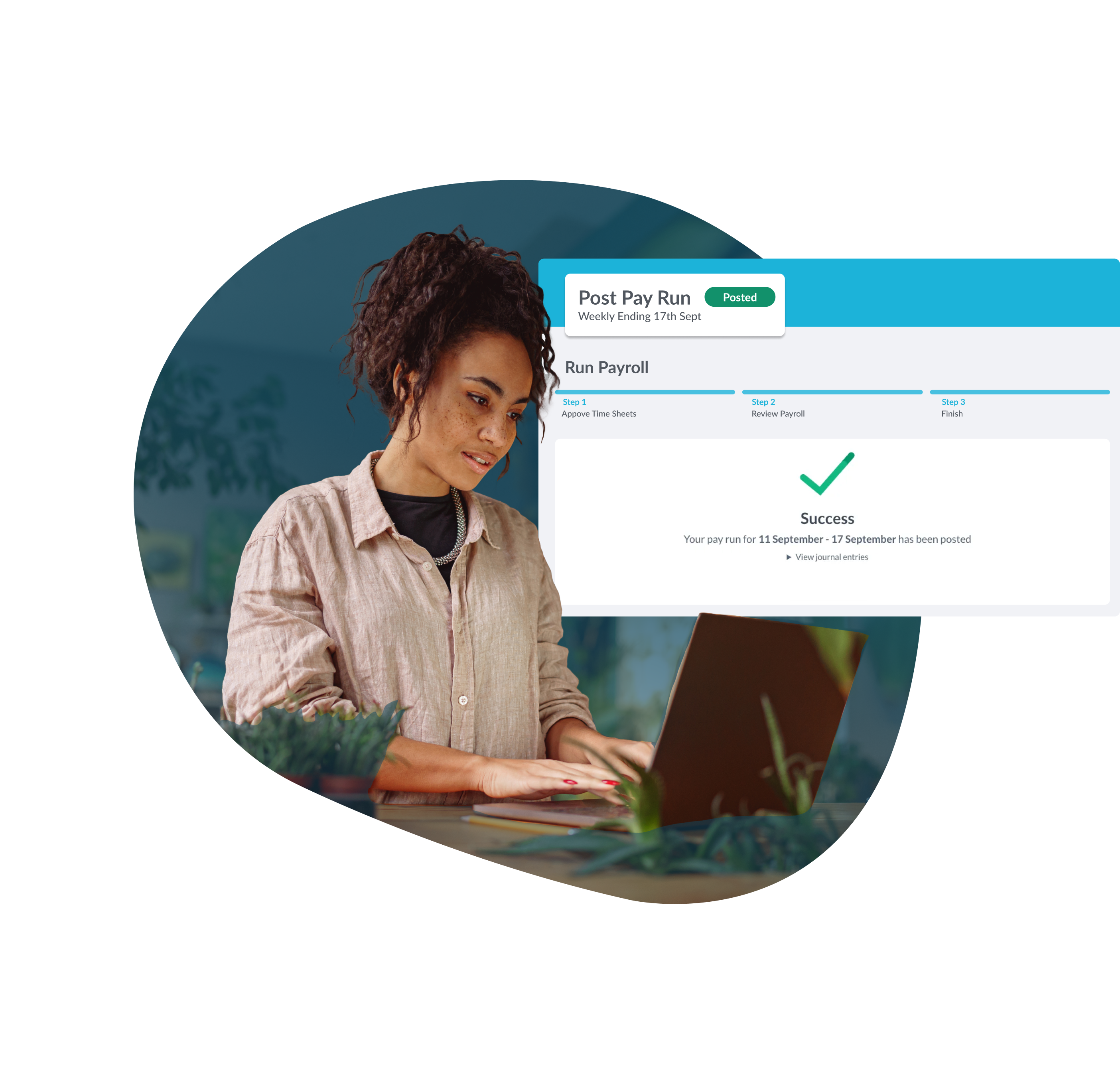
Run pay for hourly and salaried staff in minutes with automatic CPP, EI, and federal and provincial tax calculations, direct deposit, and CRA-ready filings.

Trusted by businesses great and small










A payroll engine built for shift-based pay
Canadian hourly payroll is harder than salaried payroll. Different provincial stat holiday calculations, weighted-average overtime rules, statutory deductions, multiple pay rates per employee, tip pooling, and vacation accrual all need to resolve correctly every pay run. Workforce.com handles the complexity automatically so payroll is accurate the first time.
Automatic tax calculations for every province
CPP, EI, federal tax, and provincial tax are calculated automatically on every pay run based on each employee's TD1 selections and province of employment. Rates update with CRA and provincial changes so you aren't manually adjusting deductions when rules change.
.png)
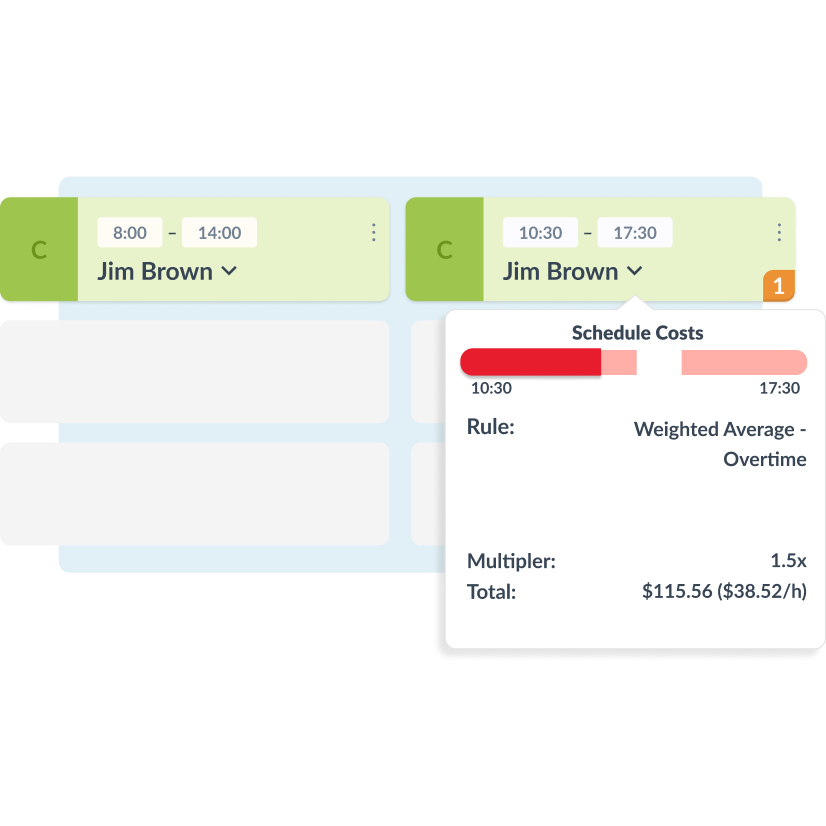
Overtime averaged across the period, not just the week
Averaging agreements let hours be calculated over 2–4 weeks, so overtime only triggers when average hours exceed the provincial threshold. The right tool for any business where workload varies significantly week to week.
Auto-split tips based on hours worked
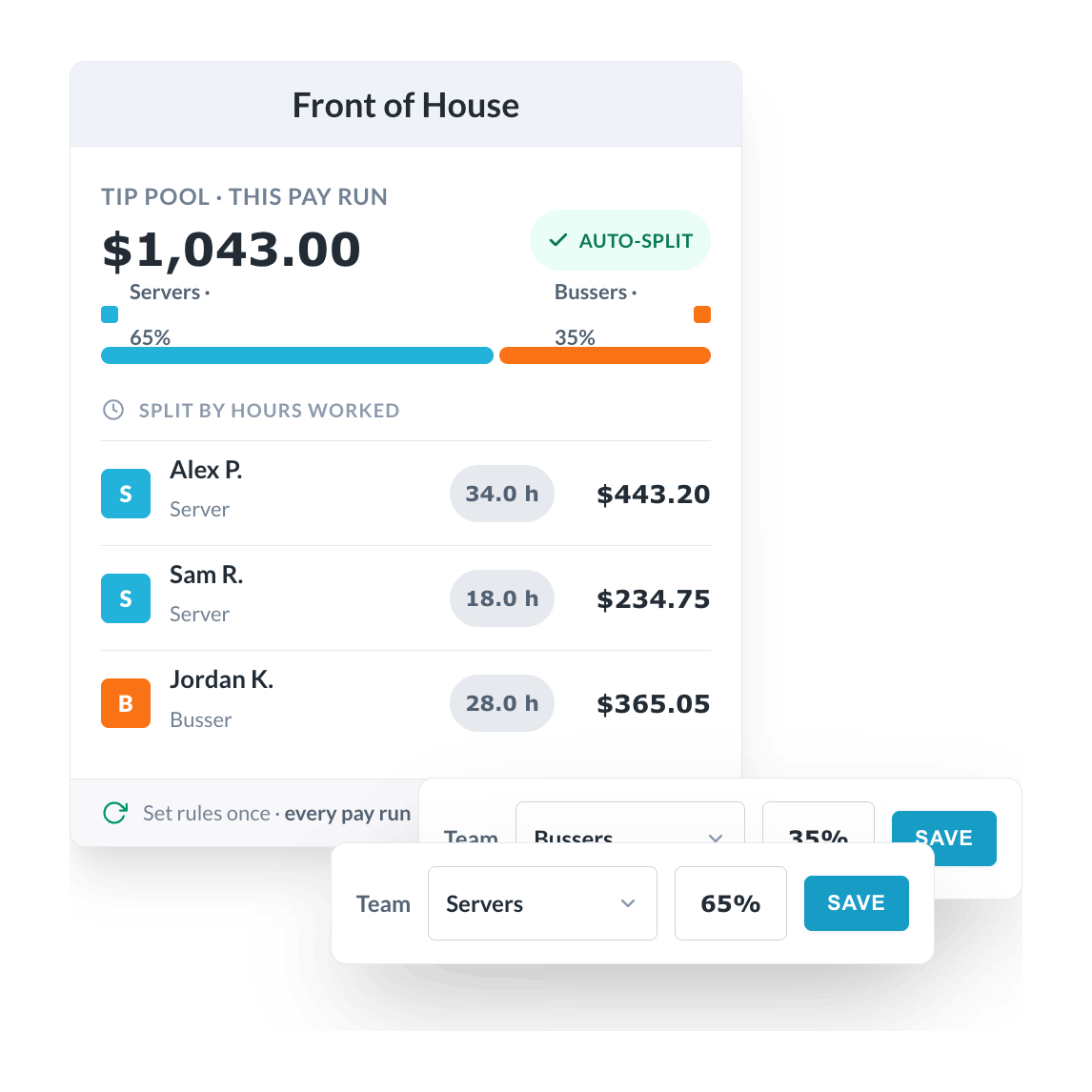
Split tip pools automatically based on hours worked within a team or location. Set the rules once (who participates, what percentage splits go to which role) and the system applies them every pay run. No extra pay runs, no spreadsheet math, and staff get paid fairly.
Direct deposit and pay stubs in the employee app
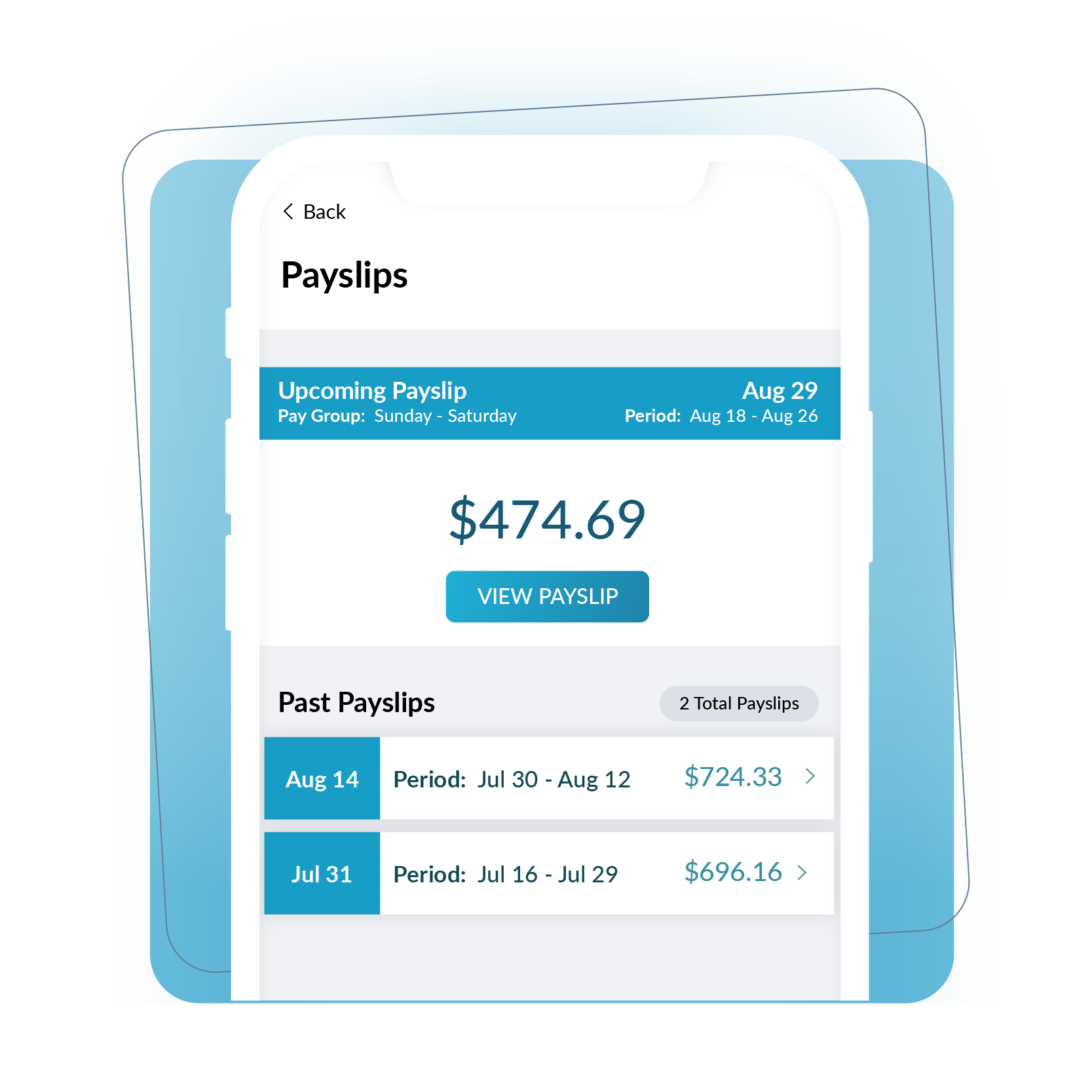
Pay hits staff bank accounts on pay day and pay stubs land in the Workforce.com employee app the same morning. Staff access their own pay stubs, T4s, and year-to-date earnings without routing questions through payroll or HR.


Consistent results for our customers
ROI total overall economic impact
Gain in scheduling efficiency
Decrease in customer labor costs
Increase in revenue per labour hour



Frequently Asked Questions
Does Workforce.com automatically calculate CPP and EI deductions?
Yes. CPP and EI are calculated automatically on every pay run, covering both the employee and employer portions. Workforce.com applies current CRA rates and adjusts when rates change annually, so you are never manually updating deduction tables or checking whether your calculations reflect the latest CRA rules.
Federal and provincial income tax is also calculated automatically based on each employee's TD1 elections and province of employment.
For employers with staff across multiple provinces, deductions are calculated province by province based on where each employee works - so an employee splitting time between Ontario and Alberta is handled correctly in each province without any manual adjustments.
Can Workforce.com generate Records of Employment (ROEs)?
Yes. Workforce.com generates ROEs directly from payroll data. When an employee's employment ends - whether through resignation, termination, layoff, or leave - the system pulls the relevant pay period data and generates the ROE in the format required for submission to Service Canada.
Filing deadlines are strict and depend on how the ROE is submitted. For electronic ROEs filed through ROE Web (the method Service Canada strongly recommends), the deadline is five calendar days after the end of the pay period in which the interruption of earnings occurs. For paper ROEs, the deadline is five calendar days after the interruption itself. There is no grace period - late filing can delay the employee's EI claim and expose the employer to fines of up to $2,000 per ROE.
For businesses with high staff turnover - common in restaurants, retail, and seasonal operations - automated ROE generation removes a significant administrative burden and reduces the risk of late filing penalties. Because Workforce.com holds all payroll data in one system, the information needed to generate the ROE is already there and up to date at the point it is needed.
Does Workforce.com generate T4 slips at year end?
Yes. Workforce.com generates T4 slips at year end directly from payroll records. T4s must be filed with the CRA and distributed to employees by the last day of February following the calendar year - late filing attracts penalties starting at $100 and scaling with the number of slips filed late.
Because all pay data lives in one system throughout the year, T4 generation is not a separate reconciliation exercise. The information needed - employment income, CPP contributions, EI premiums, income tax deducted, and any taxable benefits - is already recorded accurately from each pay run and flows directly into the T4 without manual data assembly.
Employees can also access their T4s through the Workforce.com employee app, which removes the need to distribute physical copies and reduces the volume of individual requests HR teams typically handle in February.
Can Workforce.com run payroll across multiple Canadian provinces?
Yes, and this is one of the most significant advantages for Canadian operators running locations in more than one province. Minimum wage, overtime thresholds, stat holiday pay formulas, vacation pay rules, and payroll tax obligations all vary by province - and running a single pay run that spans BC, Alberta, and Ontario requires each employee to be calculated under the rules that apply to their province of work.
Workforce.com handles this automatically. Each employee is assigned a province of employment and the system applies the correct rates and rules for that province on every pay run. You are not manually maintaining separate payroll processes for each province or checking which rules changed at the start of a new year.
For franchise groups and multi-location retail or hospitality operators, this removes one of the biggest compliance risks in Canadian payroll: applying the same rules uniformly when the rules are not actually uniform across your footprint.
Does Workforce.com handle CRA payroll remittances?
Yes. Workforce.com files payroll remittances directly to the CRA from within the platform. Remittances cover the employer and employee portions of CPP and EI, along with federal and provincial income tax withheld from employee pay.
Remittance frequency - monthly, accelerated, or quarterly - is determined by your average monthly withholding in the prior year. Missing a remittance deadline or underpaying attracts interest charges and penalties from the CRA, so having remittances calculated and submitted automatically from the same system that runs payroll removes the risk of manual errors and missed deadlines.
For new businesses or those unfamiliar with remittance requirements, Workforce.com calculates the correct amount each period so you are not manually working out what you owe - the figure flows directly from payroll deductions recorded during the pay run.
How does Workforce.com handle vacation pay accrual for Canadian employees?
Workforce.com tracks vacation pay accrual automatically based on each employee's province of employment and length of service. Vacation pay minimums vary across Canada - most provinces require a minimum of 4% of gross wages for employees with less than five years of service, rising to 6% after that threshold, though some provinces set higher minimums or use different calculation methods.
For hourly and shift-based staff, vacation pay is particularly important to get right because it is calculated as a percentage of all earnings - including overtime, stat holiday pay, and any other insurable earnings - not just base hourly wages. Workforce.com captures all earnings types during the pay run and applies the correct accrual rate automatically.
Accrued vacation balances are visible to managers and to employees in the self-service app, reducing the volume of queries HR teams handle around leave balances. When vacation is paid out, it flows through payroll with the correct deductions applied.
Can Workforce.com automate tip pooling and tip distribution for restaurant staff?
Yes. Workforce.com automates tip pool calculations and distribution based on hours worked within a team or location. You set the rules once - which roles participate, what percentage each role receives, and whether the pool is calculated by location or by team - and the system applies them automatically every pay run.
For Canadian restaurant operators, tip handling has compliance implications beyond just fairness. Several provinces have specific rules around tip pooling and tip-out practices, and tips paid through employer-run pooling arrangements are treated as employment income subject to CPP, EI, and income tax deductions. Workforce.com applies those deductions correctly when tips flow through payroll.
The result is that tip distribution is consistent and transparent - staff can see how their tip income was calculated through the employee app, which reduces disputes - and there is no separate spreadsheet calculation or manual pay run adjustment required each period.
Does Workforce.com handle payroll for both hourly and salaried employees?
Yes. Workforce.com processes payroll for both hourly and salaried employees within the same pay run. This is particularly useful for operators who have a mix of staff types - hourly kitchen and floor staff alongside salaried managers, for example - because both can be paid from the same platform without needing separate systems or manual reconciliation between them.
For hourly employees, pay is calculated from verified clock-in and clock-out data, with overtime, stat holiday pay, and any applicable premiums applied automatically. For salaried employees, the base pay amount is fixed each period but deductions, benefits, and any variable payments like commissions or bonuses are still calculated and applied correctly.
In Canada, salaried employees are not automatically exempt from overtime. Whether a salaried employee is entitled to overtime pay depends on their province, their job classification, and the nature of their work - particularly for managers and supervisors. Workforce.com can be configured to reflect the correct overtime treatment for each employee type, so salaried staff are not incorrectly excluded from entitlements they are legally owed.