

10,000 + Reviews


Tip management built for Canadian payroll
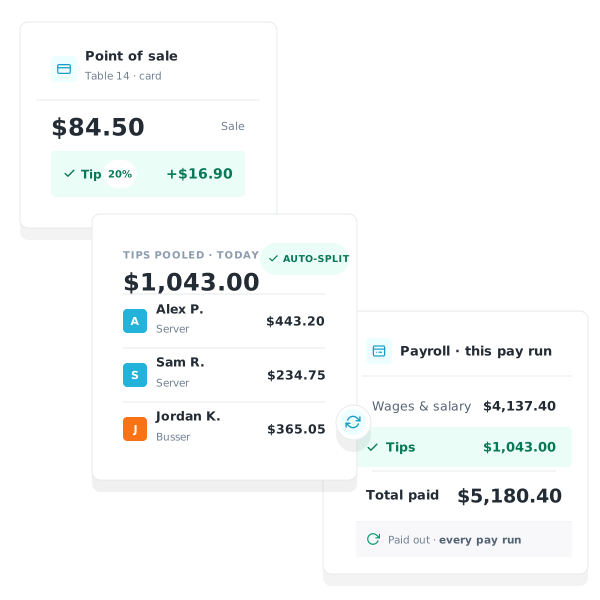
Workforce.com pulls tips straight from POS systems like Square, splits them across your teams automatically by hours worked, and carries the totals into the pay run. No spreadsheets, no manual entry, no calculating tips outside payroll.

Trusted by businesses great and small










Tips and payroll, handled in one place
For restaurants, bars, cafés, and any business with tipped staff, tips are part of payroll, not an afterthought. Workforce.com treats them that way. Tips sync in from your POS, pooling is calculated automatically, and everything flows into the same pay run as wages, taxes, and statutory entitlements, so what staff earn in tips is paid correctly the first time.
Our APPROACH
Sync tips straight from your POS
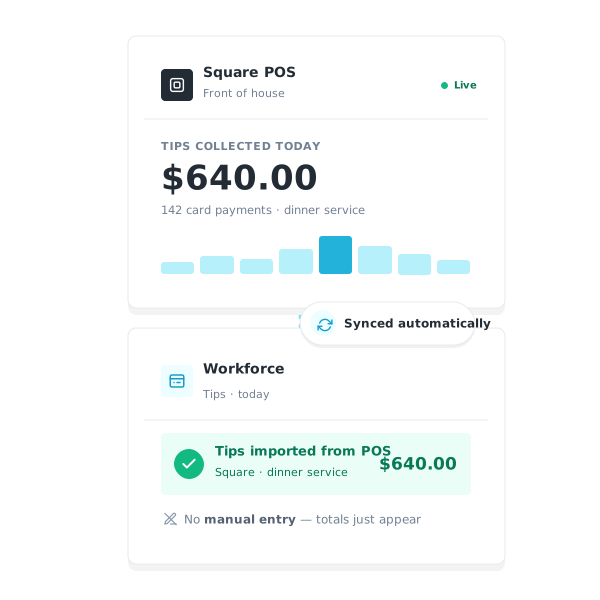
Workforce.com syncs with POS systems like Square, so daily tip totals flow into Workforce.com without anyone re-keying them. From there, tips are pooled and distributed automatically, ready for the pay run.
Our APPROACH
Pool and distribute tips by team and hours
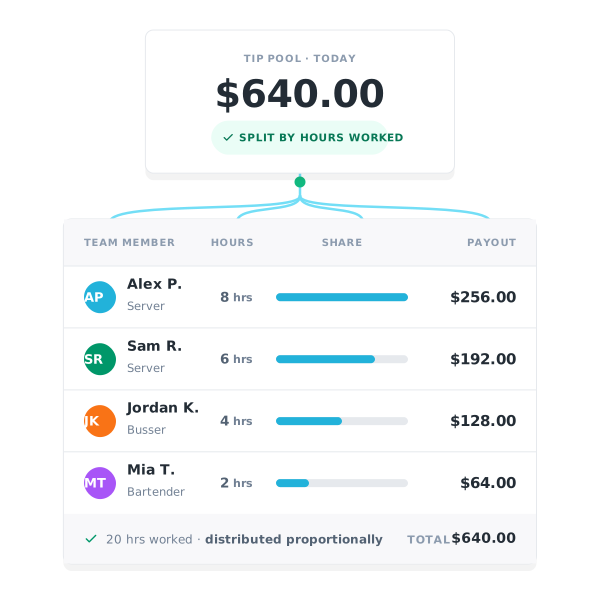
Set up a Tip Jar, assign the teams that share it, and Workforce.com distributes the pool automatically across those teams based on the hours each person worked. You set the allocation once and the same rule applies every pay period. Distributions are transparent, auditable, and tied to the exact shifts they came from.
Our APPROACH
Tips flow straight into payroll
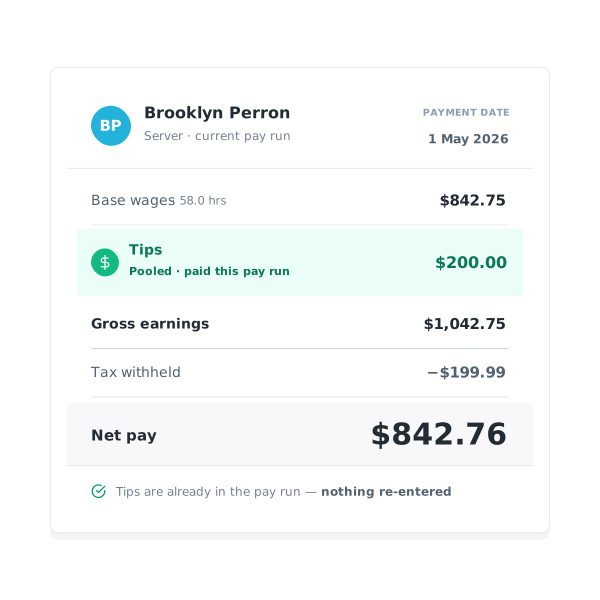
Because Workforce.com builds pay runs directly from timesheets, distributed tips are already attached to the right employee and the right shift. There is no re-keying between a tip tracker and payroll. Tip income appears on the timesheet as an allowance and is carried into the same run as everything else.
Consistent results for our customers
0
%
ROI total overall economic impact
0
%
Gain in scheduling efficiency
0
%
Decrease in customer labor costs
0
%
Increase in revenue per labour hour



Frequently Asked Questions
Does Workforce.com sync tips from POS systems?
Yes. Workforce.com syncs with POS systems like Square so daily tip totals can flow into Workforce.com, where they are pooled and distributed to staff automatically.
Do you have to enter tips manually in Workforce.com?
No. Workforce.com syncs daily tip totals from POS systems like Square, so there is no manual entry. Tips are then pooled and distributed automatically and carried into the pay run.
Can Workforce.com manage tip pooling?
Yes. You set your pooling rule once, by hours, by role, or across a team, and Workforce.com applies it every pay period and distributes the pool automatically.
How does Workforce.com decide how tips are split?
You set the rule once and Workforce.com applies it automatically every pay period. Assign a Tip Jar to one or more teams or departments, choose how the pool is shared between them (an equal split, or points or percentage shares per team), and tips are distributed to each person based on the hours they worked.
Do tips flow into payroll automatically?
Yes. Because pay runs are built directly from timesheets, declared tips and top-ups are already attached to the correct employee and shift, with no re-keying between a separate tip tracker and payroll.
Is tip income taxed correctly?
Tip income is included in the pay run and taxed alongside regular wages, so remittances and year-end reporting reflect it correctly.
Does tip management work across multiple locations?
Yes. Tip declarations, pooling, and top-ups can be managed across multiple locations within a single Workforce.com account.